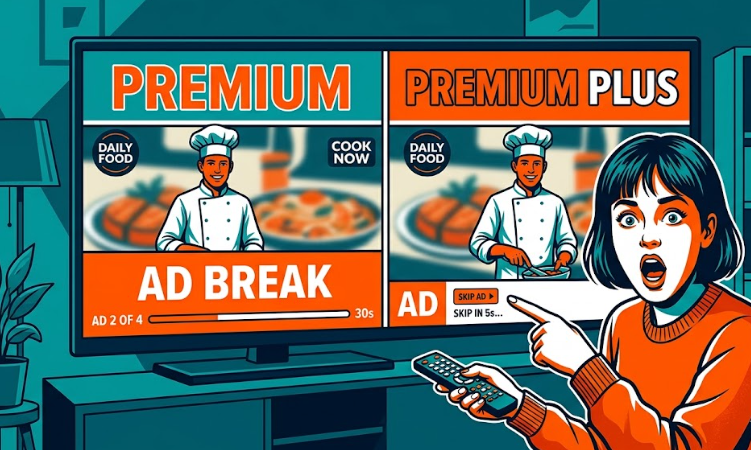
The easiest way to waste money on Peacock is to upgrade to Premium Plus because you hate ads in theory, not because Peacock is one of the services you actually use all the time.
That is what makes this decision trickier than it looks. Peacock Premium Plus does cost more, and yes, you get fewer ads. But it is not fully ad-free in every situation, and the upgrade only really pays off for a smaller group of people than Peacock makes it sound like.
If you mostly open Peacock for a show here and there, Premium is usually enough. If Peacock is in your weekly routine, you want downloads for travel, or you genuinely care about having your local NBC channel live, Premium Plus starts to make more sense.
Quick answer
- Pick Peacock Premium if Peacock is not one of your top-used apps, you can tolerate ads, and you do not care about downloads or live local NBC.
- Pick Peacock Premium Plus if you watch Peacock every week, want fewer interruptions for on-demand viewing, and will actually use downloads or your local NBC channel.
- Do not jump to annual right away unless Peacock is already part of your regular rotation. A discount is not savings if you would have canceled after a month or two.
Peacock Premium vs Premium Plus: what changes and what does not
As of April 2026, Peacock Premium is $10.99/month or $109.99/year, and Peacock Premium Plus is $16.99/month or $169.99/year.
Peacock also offers a cheaper Select plan, but this article focuses on Premium and Premium Plus because that is the comparison most people are making when they want movies, sports, Originals, and the no-ads upgrade question.
| What matters | Peacock Premium | Peacock Premium Plus |
|---|---|---|
| Monthly price | $10.99/month | $16.99/month |
| Annual price | $109.99/year | $169.99/year |
| Ads on on-demand content | Yes | Mostly removed, but not in every case |
| Live sports, events, channels | Ads apply | Ads can still apply |
| Offline downloads | No | Yes, for select titles |
| Local NBC channel live | No | Yes |
The headline difference is simple: Premium Plus costs $6 more per month. But the real decision is not “Do I want the nicer plan?” It is “Will I notice the upgrade often enough to justify paying more every month?”
The biggest thing Peacock does not make obvious
Peacock Premium Plus is not a perfect, zero-ads version of Peacock.
That matters because a lot of people hear “no ads” and assume the upgrade fixes the whole experience. It does improve the on-demand experience for a lot of viewing, but not everything. If you mostly use Peacock for live sports, events, or channel-style watching, the upgrade may feel less dramatic than you expected.
That is the first filter to use. If your frustration with Peacock mostly comes from ad breaks during regular shows and movies, Premium Plus has a stronger case. If your Peacock habit leans live, the upgrade is easier to overestimate.
This is the same trap that shows up across streaming bills. People pay more to remove an annoyance they do not run into often enough to justify the higher tier. If you want to reset that habit across your subscriptions, start with Am I Overpaying for Subscriptions? A Simple Monthly Check or A Real Subscription Check: What I Found When I Wrote Everything Down.
Who should stay with Peacock Premium
- You signed up for one specific show, season, or short-term event.
- You do not open Peacock often enough to care about smoothing out the experience.
- You mostly treat Peacock as one streaming app among too many others.
- You are trying to cut monthly bills without losing access completely.
- You do not need downloads and would never use the local NBC channel.
For most casual viewers, Peacock Premium is the better default.
This is the plan that keeps you from solving a small annoyance with a permanent extra charge. If Peacock is not one of the apps you open automatically, there is a good chance Premium Plus turns into one more upgrade you stop noticing while it quietly keeps billing you.
That is especially true if Peacock is a rotational subscription for you. Many people do not keep every streaming service all year. They dip in for a title, a sports window, or a month when nothing else is landing elsewhere. In that kind of pattern, paying for the nicer tier often makes less sense than simply keeping the cheaper plan or canceling sooner.
If ad-free upgrades keep tempting you, it helps to compare this decision with how other services handle the same pressure. See Hulu With Ads vs No Ads and Netflix Standard with Ads vs Standard for the same “pay more for fewer interruptions” problem in a different form.
Who should pay for Peacock Premium Plus
- Peacock is one of your most-used streaming apps, not an occasional extra.
- You watch enough on-demand content that fewer ads would genuinely improve your week-to-week experience.
- You travel, commute, or deal with unreliable Wi-Fi and would use downloads.
- You care about having your local NBC channel live inside the same app.
This is the narrower group that should seriously consider Premium Plus.
The key is actual use, not aspirational use. A lot of people buy premium tiers because they like the idea of a better version of the service. That is different from needing the better version often enough for it to matter. Premium Plus makes sense when the convenience shows up in your real routine, not just in your imagination on billing day.
When annual pricing stops saving you money
The monthly gap between the two plans is $6. Over a year, that is $72 more if you stay on monthly billing.
If you compare annual plans, the gap is $60 for the year. So yes, the annual option softens the difference a little. But that does not automatically make Premium Plus the smarter choice.
Here is the part people miss: annual pricing only helps if Peacock is a year-round service for you. If your real pattern is “subscribe for a month or two, watch what I want, then leave,” annual pricing can turn a small discount into a bigger total spend.
That is when annual pricing stops helping. If Peacock is always in your household’s rotation, annual can be reasonable. If Peacock is seasonal or occasional, monthly billing protects you from paying for months you would not have used.
The easiest mistake to make here
The easiest mistake is paying for Premium Plus because you want a cleaner experience, then using Peacock like a once-in-a-while app.
That is how streaming bills bloat. Not through giant mistakes, but through upgrades that sound small enough to ignore. Six dollars does not feel dramatic in the moment. Over time, it becomes the kind of charge you stop questioning because it no longer feels like a decision.
If that sounds familiar, the smarter move is usually not “upgrade now.” It is “watch Peacock as-is for the next 30 days and notice what actually bothers me.” If ads barely register, stay cheaper. If downloads or fewer interruptions would change how often you use Peacock, then upgrade with a reason.
What most people should do
Most people should start with Peacock Premium. It is the better default if Peacock is not one of your most-used apps and you do not need downloads or live local NBC.
Move to Peacock Premium Plus only if Peacock is part of your regular weekly routine. The upgrade makes more sense when fewer interruptions, offline downloads, or access to your local NBC channel would actually improve how you use the app week to week.
If you are unsure, keep Premium for 30 days and pay attention to what genuinely bothers you. If ads barely register, stay cheaper. If fewer interruptions or downloads would clearly change the experience, then upgrade with a reason.
FAQ
Does Peacock Premium Plus still have ads?
Yes. Peacock Premium Plus removes many ad interruptions from on-demand viewing, but it is not fully ad-free everywhere. Peacock says some channels, live sports and events, and a few shows and movies still contain ads.
Is Peacock Premium Plus worth it for live sports?
Usually not for live sports alone. If most of your Peacock use is live sports or live events, the upgrade tends to feel smaller than expected because ads can still appear there. Premium Plus makes more sense when your regular on-demand viewing is what is bothering you.
Can you download shows with Peacock Premium Plus?
Yes, but only for select titles. Peacock says Premium Plus users can download eligible content for offline viewing, so downloads are a real upgrade feature, just not for every title in the catalog.