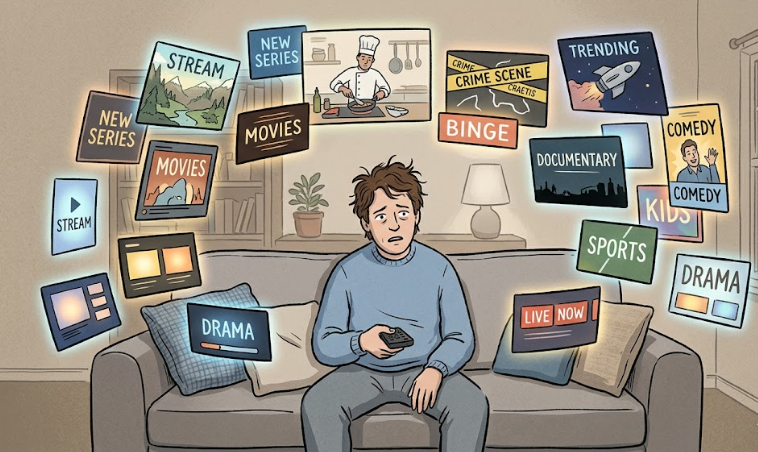
If you are paying for four or five streaming services at once, the problem usually is not entertainment. It is unfinished decisions.
Netflix because you still use it sometimes. Hulu because there is one show you keep meaning to finish. Prime Video because it is already there. Max because you added it for one month and never got around to turning it off.
That is how streaming bills get bloated. Not with one dramatic mistake. Just a few services staying alive longer than they earned.
If that sounds familiar, a monthly rotation plan usually works better than staring at your subscriptions and telling yourself to “cancel something.”
A simple streaming reset looks like this: keep one service you use every week, add one service for what you are actively watching right now, and pause, downgrade, or cancel the rest before renewal. Most people do not need access to everything at once. They need a cleaner monthly decision.
Why people end up paying for too many streaming services
Most people do not wake up one day and decide to build a $70 entertainment stack.
It usually starts with a reason that feels legitimate. A new season drops. A friend recommends a show. A sports package feels temporary. A bundle looks efficient. Then nothing gets revisited, so the original reason disappears but the charge stays.
Streaming gets expensive when old decisions quietly roll forward.
You added Max for one show, finished it in two weekends, and somehow it is still on your card three months later. You kept Hulu because there was one series you meant to get back to, but on most nights you still opened Netflix first. That kind of overlap is where the waste usually sits.
The 20-minute streaming reset
You do not need a spreadsheet addiction to fix this. You just need one honest pass through what you are paying for before the next renewal hits.
1. List every streaming service you are paying for
Write them all down. Include the obvious ones, but also channels, add-ons, premium upgrades, and bundled plans that feel easy to ignore because they do not look like separate decisions anymore.
If money is leaving your account for it, it belongs on the list.
2. Look at the last 30 days, not your intentions
Do not ask what you meant to watch. Ask what you actually opened and used.
If a service did not give you anything meaningful in the last month, it is already on thin ice. Browsing does not count. Leaving it on “just in case” does not count either.
Start with Am I Overpaying for Subscriptions? A Simple Monthly Check if you want to catch the charges that feel harmless one by one but add up fast together.
3. Give each service a job
Every streaming service should land in one of four buckets: keep, pause, downgrade, or cancel.
| Decision | Use it when | Common mistake |
|---|---|---|
| Keep | You use it every week and would notice if it disappeared. | Calling it essential because it used to be essential. |
| Pause | You know you will come back soon and the platform offers a real pause option. | Using pause to avoid making a real call. |
| Downgrade | You still use it sometimes, but not enough to justify the premium or ad-free tier. | Paying extra to avoid ads on something you barely open. |
| Cancel | You are paying for the idea of future use, not real current use. | Keeping it because one unfinished show makes you feel weirdly guilty. |
4. Build around one anchor service
Most households do not need five backup options. They need one service that clearly earns its place and maybe one more that is active for a reason.
Your anchor service is the one you reach for without forcing it. Your active service is the one you are paying for because there is something specific you are actually watching right now.
Everything else should be temporary, lighter, or gone.
A setup that feels realistic for most people
If you want a version that does not feel extreme, start here:
- Keep one anchor service you use consistently.
- Add one active service for the month’s current show, season, or event.
- Downgrade one borderline service if you still use it occasionally but not enough for the premium tier.
- Cancel the rest if they do not have a clear job right now.
That is usually enough to stop the overlap without making your evenings feel weirdly restricted.
What should you cancel first?
If you are stuck, do not start with the most expensive service. Start with the one you would miss the least.
That is usually the one you browse more than watch. The one you keep because you feel like you should use it. The one that only becomes visible when the charge shows up again.
For a lot of people, the first good cut is not dramatic. It is just honest.
These are often the hardest calls because people keep them out of habit, not clear value.
Pause, downgrade, or cancel? Use this shortcut
Ask one question: Would I actually feel this loss this week, or do I just dislike closing the door?
- If you would feel it this week, keep it.
- If you still use it but not enough for the premium tier, downgrade it.
- If you know exactly why you are coming back soon, pause it.
- If you are paying for possibility instead of real use, cancel it.
That question tends to separate actual value from emotional resistance faster than people expect.
When this kind of rotation does not work
It is not automatically smart for everyone.
If multiple people in the house are using different services every day, if you rely on live sports or live events that move around, or if you know you will cancel and rejoin in the same week out of annoyance, the savings may be smaller than you think.
Rotation also falls apart when every service gets treated like an exception. If they all feel essential, nothing changes.
FAQ
How many streaming services is too many?
It becomes too many when you are paying for more services than you actively use. For a lot of people, the problem is not the number itself. It is the overlap between services that all feel useful in theory but do not get opened in real life.
Should I cancel or just downgrade?
If you still use a service sometimes but not enough to justify ad-free or premium, downgrading can make sense. If you barely open it at all, a cheaper version can still be wasted money.
How often should I review my streaming subscriptions?
Once a month is usually enough because it lines up with billing cycles. If your household watches more slowly, every two or three months may feel more natural.
What if one of my streaming services is part of a bundle?
That is exactly where people tend to overestimate value. A bundle can feel efficient while hiding the fact that only one part of it is doing real work. If that is happening, the whole setup is worth rechecking.
Bottom line
Too many streaming subscriptions rarely come from one reckless choice. They usually come from old reasons hanging around longer than they should.
If you want a simple rule, use this: keep one, rotate one, question the rest.
That is often enough to make your streaming bill feel normal again without turning entertainment into a budgeting exercise.
Related reads
- Disney+, Hulu, HBO Max Bundle: Is It Actually Cheaper Than Paying Separately?
- Hulu With Ads vs No Ads: Is Ad-Free Worth $84 More Per Year?
- Netflix Standard with Ads vs Standard: Should You Downgrade or Take a Month Off?
- YouTube Premium Lite vs Premium: Do You Still Need the Full Plan?
- Prime Video Ultra: Is the 4K Upgrade Worth $4.99 a Month?