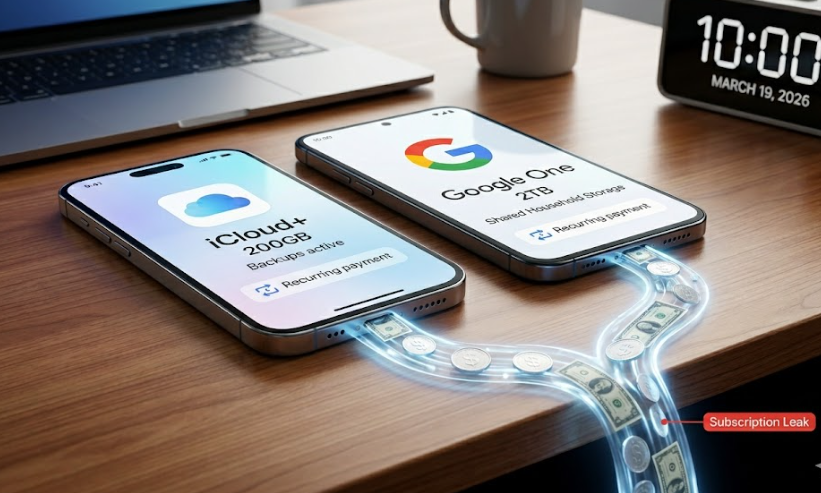
Quick answer: If you’re paying for both Google One and iCloud+, you probably do not need both at the same level. For most people, one service is doing the real work while the other is still on the bill from habit, backup anxiety, or an old storage decision.
This guide is not about which cloud service is “better” in general. It is about one question: if you’re paying for both, which one should you actually keep?
Keep, downgrade, or cancel?
Keep iCloud+ if your Apple devices depend on it for backups, photo syncing, and the kind of low-friction setup you do not want to manage manually.
Keep Google One if your real storage problem lives in Gmail, Drive, Google Photos, and a cross-device setup that is bigger than Apple alone.
Keep both only if they are doing clearly different jobs.
Downgrade or cancel one of them if you cannot clearly explain why both are still on your monthly bill.
Why people end up paying for both
Most people do not build a two-cloud system on purpose.
- iCloud+ starts because an iPhone backup fills up free storage.
- Google One starts because Gmail, Drive, or Google Photos runs out of room.
- Then both subscriptions stay, even after the original reason gets fuzzy.
That is how cloud storage becomes a quiet money leak. Not because the monthly price looks dramatic, but because the decision stops being active.
Before you cancel anything, know this
The biggest reason people hesitate is simple: they are afraid their photos, files, or backups will disappear.
That fear is understandable, but “canceling” and “instant deletion” are not the same thing.
- With iCloud+, changes take effect at the end of your current billing period. If your storage ends up above your new limit, syncing and backups can stop until you free up space or upgrade again.
- With Google One, the extra storage ends at the end of the billing cycle. If you stay over quota, uploads, photo backups, and some Gmail and Drive functions can be affected.
That means the smarter move is not to panic. It is to check what each service is storing, download or move anything important if needed, and then make the cut with a clear plan.
What each one is actually doing
iCloud+ is usually the “Apple life” subscription
- backing up an iPhone or iPad
- syncing Apple Photos across devices
- storing Apple-native files, messages, and device data
- making the Apple setup feel automatic
If that sounds like your real dependency, iCloud+ is probably not the one to cut first.
Google One is usually the “Google life” subscription
- covering storage across Gmail, Drive, and Google Photos
- supporting file access across different device types
- powering shared storage for a household using Google services
- bundling extra Google features you may or may not actually use
If your digital life is spread across Android, Windows, Gmail, Drive, and Google Photos, Google One may be the more central subscription.
Keep iCloud+ if this sounds like you
- Your iPhone or iPad backup genuinely depends on it
- Your photos mostly live in Apple Photos
- You want the simplest Apple-native setup
- You do not want to manually manage backup risk
- You use Google services, but not as your main storage home
In this situation, Google One may be the extra layer, not the essential one.
Keep Google One if this sounds like you
- Your Gmail storage is part of the real problem
- You actively use Google Drive
- Your files need to move easily across different devices
- Your household already shares Google services
- iCloud+ is mostly there because you once upgraded during an Apple storage scare
In this situation, iCloud+ may still matter, but it may not need to stay at the same level.
When keeping both actually makes sense
Some people really do need both.
- iCloud+ is handling Apple device backups
- Google One is handling Gmail, Drive, and Google Photos
- Different family members rely on different ecosystems
- You intentionally separate device backup storage from working file storage
That is a real use case. The problem is that many people are not in that situation. They are just paying for overlap.
Signs one of these subscriptions is unnecessary
- You cannot clearly explain what each one is doing
- The same files or photos are effectively being paid for twice
- One subscription exists mostly because canceling feels annoying
- You upgraded one service in a panic and never revisited the decision
- Your household setup changed, but your storage setup never did
If that sounds familiar, you probably do not need a new storage plan. You need a cleanup decision.
Do this 3-minute check before you cancel anything
Do not cancel from memory. Check what each service is really doing first.
For iCloud+
On your iPhone or iPad, go to Settings > [your name] > iCloud. Then check how much storage you are using, what is taking the most space, and whether backups or family sharing still depend on it.
For Google One
Check whether your real storage pressure is coming from Gmail, Drive, or Google Photos, whether family members are using the shared plan, and whether you are paying partly for features you no longer use.
If something important lives only in one system, download it, move it, or back it up before you downgrade or cancel.
The most common mistake
The most common mistake is not choosing the wrong brand.
It is paying for two different kinds of convenience at the same time without checking whether both are still necessary.
That is what makes this expensive over time. Not because each subscription looks huge on its own, but because together they become a recurring default.
The decision
If you are paying for both Google One and iCloud+, the right choice is usually not “pick the better service.”
It is figure out which one is doing the real work in your life right now.
Keep the one tied to your real daily dependency.
Downgrade or cancel the one that stayed on your bill after the original reason disappeared.
That is usually where the money leak is.
FAQ
Do I need both Google One and iCloud+?
Some people do, but many do not. If you cannot clearly explain what each one is doing, one of them probably deserves a downgrade review.
Is iCloud+ better than Google One?
Not universally. iCloud+ usually makes more sense for Apple-native backups and syncing. Google One usually makes more sense for Gmail, Drive, Google Photos, and mixed-device households.
Should I cancel Google One or iCloud+ first?
Downgrade or cancel the one that is no longer tied to a real recurring need. Check actual usage before deciding.
Can I keep both but lower one of them?
Yes. That is often the smartest move when one service still matters, but not at its current level.