Canceling Hulu is usually simple.
Finding the right place to do it is what trips people up.
Some people can cancel in a minute from their Hulu account. Others think they canceled, only to realize Hulu was actually billed through Apple, Roku, Amazon, Google, Disney, or another provider.
So before you do anything, do not start with the cancel button. Start with the billing source.
Before you cancel, check who actually bills you
This is the first thing that matters.
If Hulu bills you directly, the cancellation path is straightforward. If a third party bills you, the steps may be different, and that is where people get confused.
In other words, the real first question is not “How do I cancel Hulu?” It is “Who is charging me for Hulu right now?”
If you want to verify your billing setup before canceling, check Hulu’s official help page first: How to cancel Hulu.
If you are still unsure whether canceling is even the right move, read this first: Should I Cancel Hulu?
How to cancel Hulu if Hulu bills you directly
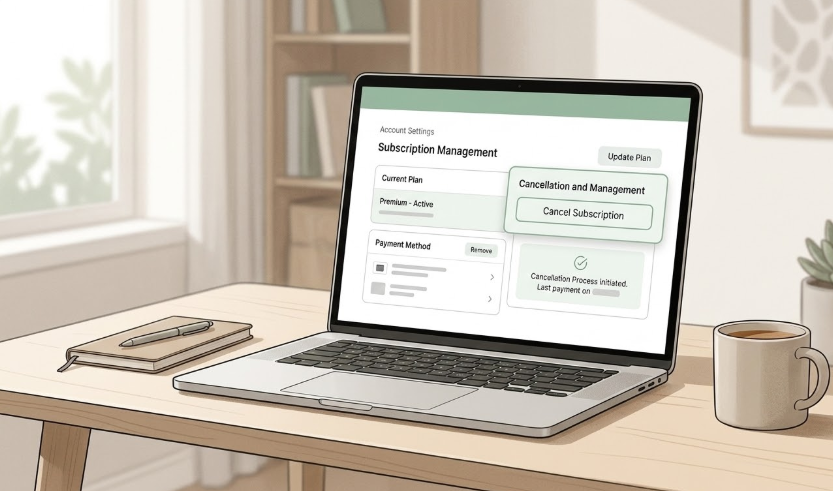
If your subscription is billed directly through Hulu, the cleanest path is to log in to your account from a computer or mobile browser and go to your subscription settings.
- Log in to your Hulu account and open your Account page.
- Find Your Subscription.
- Select Cancel.
- Follow the prompts all the way through until the cancellation is confirmed.
The important part is the last step. Do not stop halfway just because Hulu offers alternatives or asks if you want to pause instead. If your goal is to cancel, keep going until you see confirmation.
If Hulu is billed by Apple, Roku, Amazon, Google, or another provider
This is where a lot of “I thought I canceled” problems begin.
If Hulu is billed through a third party, you may need to manage the subscription through that billing partner instead of through Hulu alone.
That means the smartest move is not guessing. It is checking your account details first and then following the cancellation path that matches your billing source.
If you skip this step, you can end up canceling the wrong thing, or thinking the job is done when the renewal is still active somewhere else.
The Disney Bundle trap
This is one of the easiest places to get confused.
If your Hulu plan is part of a Disney Bundle, the first thing to check is who bills you. If Disney bills the bundle, you need to manage cancellation or plan changes from your Disney+ account page, not from Hulu alone.
If Hulu bills your bundle instead, you may be able to manage it from your Hulu account page. That is why checking the billing source first matters so much.
Do not assume “bundle” automatically means one cancellation path. The billing source still decides where the real control lives.
What happens after you cancel Hulu
Most people are not trying to remove Hulu this second. They are trying to stop the next charge.
That is an important difference.
In most paid subscription cases, canceling does not usually cut off access immediately. You normally keep access until the end of your current billing period, and the renewal stops after that.
That is why canceling can still be the right move even if you plan to watch a little more before the billing cycle ends.
There is one exception people should remember. If you cancel during a free trial, you may lose access immediately. Do not assume a free trial behaves the same way as a paid month.
How to make sure Hulu actually stops renewing
There are two mistakes people make here.
- They cancel in the wrong place.
- They stop before the process is fully confirmed.
If you want a clean exit, check these before you close the tab:
- Billing source: Do I know who is charging me?
- End date: Do I know when access actually ends?
- Free trial or paid plan: Am I assuming they behave the same way?
- Bundle risk: Am I canceling Hulu alone, or touching a larger bundle like the Disney Bundle?
- Confirmation: Did I finish the process all the way through?
If one of those is unclear, slow down and verify it before leaving the account page.
Pause may be better than cancel
Sometimes the right answer is not cancellation. It is distance.
If you are unsure, if a show is coming back later, or if you are simply trying to cut spending for now, pause can be the cleaner move.
Hulu says eligible Hulu-billed subscribers may be able to pause a subscription for up to 12 weeks.
Pause is especially useful when:
- You only watch Hulu during certain months.
- You are between shows but may come back later.
- You want to reduce bills without making every decision feel permanent.
A pause tests whether you actually miss Hulu. That answer is often more useful than forcing a dramatic yes or no too early.
Bottom line
The best way to cancel Hulu is not just to click cancel.
It is to cancel from the right place, for the right billing source, and with a clear understanding of what stops now versus later.
If Hulu bills you directly, the process is simple.
If a third party bills you, that is the first thing to fix before anything else.
If a Disney Bundle is involved, check whether Disney or Hulu is actually billing you before you touch anything.
And if you are not fully sure you want to leave, pause may be the more honest choice.
Still deciding? Read Should I Cancel Hulu?