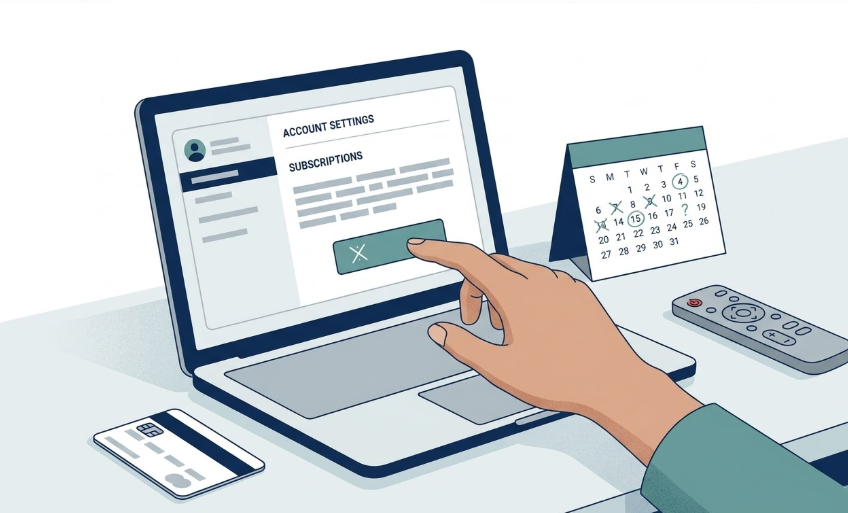
Canceling Hulu sounds simple until you realize most people are not really asking how to click “cancel.”
They are asking what happens next.
Do you lose access right away? Does the next charge stop? What if Hulu is tied to a bundle, Live TV, Apple, Roku, or another billing setup?
If you are about to cancel Hulu, this is the part worth checking before you turn a clean decision into a messy one.
Quick answer
In most cases, canceling Hulu stops future auto-renewal, but you keep access until the end of your current billing period.
The biggest catch is billing. If you are billed through Disney, Apple, Roku, Amazon, Google, or another third party, the steps and what exactly you are ending may be different.
If you are not sure yet, an eligible Hulu-billed account may be able to pause instead of fully canceling.
If you cancel Hulu today, what usually happens next?
For most Hulu subscribers, canceling does not mean the service disappears the same minute.
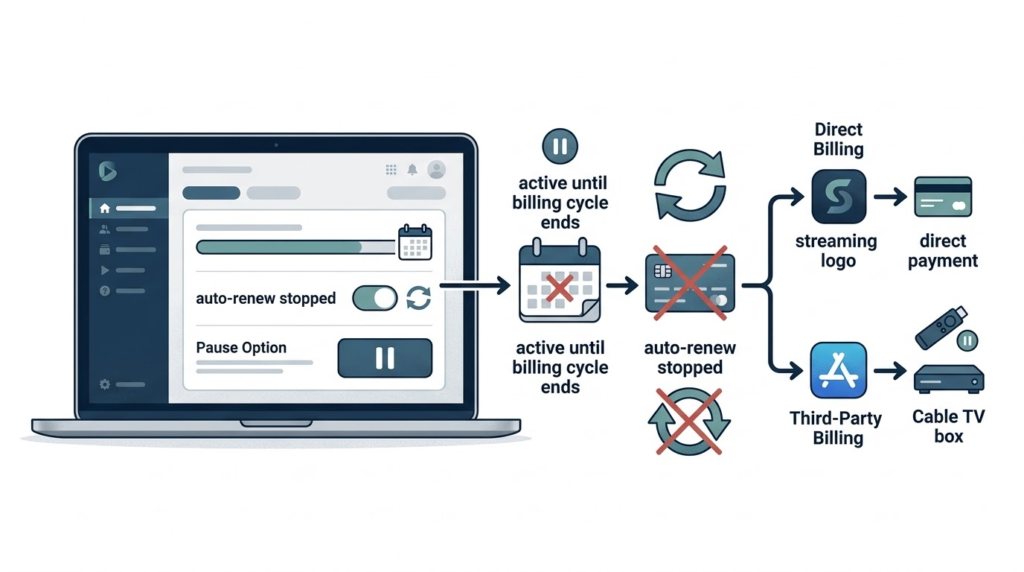
Usually, this is the sequence:
- You cancel the subscription or turn off renewal.
- Your next automatic charge is stopped.
- You keep access for the rest of the billing period you already paid for.
- When that period ends, the subscription expires unless you restart it.
That is why canceling Hulu often feels less dramatic than people expect. It is usually more like setting an end date than deleting the service on the spot.
What you usually keep after canceling
The main thing most people keep is access through the remainder of the current billing cycle.
So if your renewal date is still days or weeks away, canceling now can still be the right move. You are not necessarily giving up the time you already paid for. You are stopping the next round from quietly happening.
Hulu’s help pages focus on continued access through the end of your billing period, not a prorated refund for unused days. In practical terms, the goal is usually to stop the next charge, not to recover money for the remaining days in the current cycle.
This matters because a lot of people delay canceling for no good reason. They tell themselves they will “do it later” and then end up paying for one more month they did not mean to keep.
What stops after you cancel
What stops is the next renewal.
That sounds obvious, but it is the part that actually saves money. Hulu’s auto-pay does not stop because you were thinking about canceling. It stops when the subscription is actually canceled.
So the practical change is not “I can never watch Hulu again.” The practical change is “this bill should not roll into another month by default.”
How to tell whether your cancellation actually went through
If you canceled, you want proof. Not a vague memory of clicking around.
One of the simplest checks is your account status. If your account shows that your subscription is about to cancel or set to end, that usually means the cancellation worked and your access will continue only until the end of the paid billing period.
If you are unsure, do not guess. Open your account or billing page and verify the status before assuming the job is done.
If you need the step by step cancel flow itself, read this next: How to Cancel Hulu
The part that changes everything: who bills you?
Not every Hulu subscriber is billed the same way.
That matters because “cancel Hulu” is not always something you manage inside Hulu.
- If Hulu bills you directly, you usually manage changes from your Hulu account page.
- If a third party bills you, you may need to cancel through that billing provider instead.
- If Disney bills your bundle, the subscription is managed from your Disney+ account page.
This is one of the easiest ways people think they canceled when they really only looked in the wrong place.
Before doing anything, check your billing source first. It is the fastest way to avoid a fake cancellation and an unwanted next charge.
If Hulu is part of a bundle, make sure you know what you are ending
Bundle setups make cancellation feel simpler than it is.
If Hulu is tied to a Disney bundle, the real decision may not be “cancel Hulu.” It may be “change or cancel a bundle plan that includes Hulu.”
That is a different move.
So before you cancel anything, ask:
- Am I paying for Hulu by itself, or through a bundle?
- Who actually bills this plan?
- Am I ending only Hulu, or changing the structure of a larger setup?
If your real issue is not canceling but overpaying for a bundle you barely use, read this next: Disney Bundle vs Standalone Hulu
What if you have Hulu + Live TV?
Live TV changes the decision because the bill is much bigger and the plan works differently from regular Hulu.
If your cost problem is really coming from Live TV or add-ons, you may need a downgrade decision, not just a clean cancellation decision.
In some cases, switching from Hulu + Live TV down to a lower Hulu plan takes effect at the next billing cycle rather than instantly. So a plan change and a cancellation are not always the same kind of move, even if the goal is cutting the bill.
Should you cancel, or just pause Hulu?
Sometimes the smartest move is not a full break. It is a temporary one.
Eligible subscribers may be able to place a Hulu subscription on hold for up to 12 weeks.
Pause usually makes more sense than cancel when:
- You only use Hulu seasonally.
- You are between shows, but expect to come back soon.
- You want to stop the charge without turning the decision into a full reset.
Note: The pause option is not available for annual subscribers and may not be available for many third-party billed accounts. Hulu lists Amazon and Roku as exceptions, so check your billing provider before assuming hold is an option.
Cancel is cleaner when the reason for keeping Hulu is already gone and you do not expect to miss it soon.
If you are still deciding whether Hulu should stay at all, start here first: Should I Cancel Hulu?
What to check before you cancel Hulu
- Your billing source. Direct through Hulu, or through Disney, Apple, Roku, Amazon, Google, or another provider?
- Your next renewal date. This tells you how much access time is still left after cancellation.
- Your actual plan. Regular Hulu, bundle, or Hulu + Live TV?
- Whether pause would solve the real problem. If this is a break, not a breakup, hold may fit better.
- Whether you are fixing the right issue. If the real problem is ads, add-ons, or bundle waste, cancellation may not be the only answer.
When canceling Hulu is the cleanest move
Canceling is usually the cleanest answer when:
- You signed up for one show and that reason is over.
- Hulu is no longer one of your real weekly apps.
- You are paying for a bundle or setup that sounds good on paper but is not used in real life.
- You keep saying you will revisit it later, but later keeps turning into another charge.
If that sounds familiar, canceling is not extreme. It is just overdue.
Bottom line
For most people, canceling Hulu does not mean losing access immediately. It means stopping the next renewal while keeping the rest of the billing period you already paid for.
The part worth slowing down for is not the button itself. It is making sure you know who bills you, what plan you are really ending, and whether pause or downgrade fits better than a full cancel.
If your reason for keeping Hulu is gone, canceling now is usually cleaner than waiting for autopay to make the decision again next month.
Still unsure?
Run the same 10 minute check on every subscription before you cancel anything.
No spam. Unsubscribe anytime.