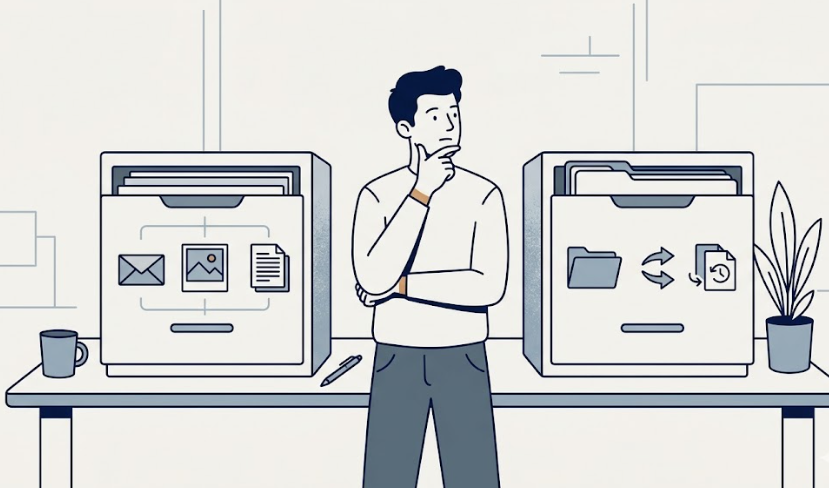
Quick answer: Google One Premium fits if Gmail, Google Photos, and Drive are the storage problem you actually have. Dropbox Plus fits if file sync, external sharing, and version history matter more than email and photo storage. If you already pay for iCloud+ or OneDrive, neither one may be the right next step.
Google One Premium and Dropbox Plus both sit around $10 a month for 2TB, depending on the billing cycle.
That surface comparison is the trap.
The real question isn’t which plan offers more storage at a lower price. It’s which plan matches the way your storage problem actually shows up. A Gmail inbox running out of space and a freelancer sending 5GB project files to clients are not solving the same problem, even when the headline storage is identical.
For most people, the choice is simpler than the marketing makes it sound. Pick Google One if your storage pressure is coming from Google itself. Pick Dropbox if your workflow already runs on file sharing and sync. Cancel one or pick neither if both plans are quietly active and only one shows up in your real use.
Google One vs Dropbox at a glance
| Plan | Typical price | Best fit | Main weakness |
|---|---|---|---|
| Google One Premium | $9.99/month for 2TB | Gmail, Google Photos, and Drive ecosystem storage | Less useful if you don’t live inside Google services |
| Dropbox Plus | $9.99/month for 2TB (billed yearly) | File sync, external sharing, version history workflow | 2GB free tier is too small to test seriously before paying |
As of April 2026, Google One Premium is listed at $9.99 per month for 2TB, with Basic 100GB at $1.99 per month and Google AI Pro at $19.99 per month for 5TB plus AI features. Every Google account also includes 15GB of free storage as the baseline. (Google One)
Dropbox lists Plus at $9.99 per month when billed yearly, with 2TB of storage, 50GB file transfers, and 30 days of file recovery. Dropbox Family is $16.99 per month for 2TB shared across up to six users. Dropbox Professional is $16.58 per month for 3TB and 180-day recovery. The free Dropbox Basic plan starts at 2GB. (Dropbox)
Choose Google One if Gmail, Photos, and Drive are the real pressure
Google One is the cleaner fit when your storage problem is coming from inside Google.
That sounds obvious, but it matters. A lot of people hit a wall not because they need a new file system, but because Gmail keeps warning that storage is full, Google Photos stopped backing up, or Drive is rejecting attachments. None of those problems are solved by signing up for Dropbox.
Google One increases the same 15GB pool that Gmail, Photos, and Drive already share. The upgrade path feels invisible because the storage simply continues from where the free tier ended.
Google One fits if:
- Gmail or Google Photos triggered the storage warning that started this question.
- You already use Google Workspace, Drive, or Android as your default.
- You want family sharing across one storage pool without setting up a separate service.
- You don’t really share files externally with non-Google users.
- You’d rather pay for storage that quietly extends what you already do.
Google One fails when your real workflow happens outside Google. If most of your file sharing goes through clients, design tools, or platforms that don’t natively read Drive links, the storage upgrade solves the wrong problem.
Worth reading next: Google One vs iCloud+: Which Is Better for Photos, Backup, and Family Sharing?
Choose Dropbox if file sync and sharing are the actual workflow
Dropbox becomes more interesting when storage isn’t the only problem.
Dropbox is built around file sync, external sharing, and version history. The 2TB on Dropbox Plus looks like the same 2TB on Google One Premium, but the use case is different. Dropbox is designed for files that move between people, devices, and tools that may not all live in one ecosystem.
That difference shows up in how the storage gets used. People who pay for Dropbox often care less about how much fits inside and more about how reliably the same file appears on a phone, a laptop, and a client’s email.
Dropbox fits if:
- You send large files to clients, collaborators, or external users who aren’t on Google.
- File version history and 30-day recovery actually matter for your work.
- You work across mixed devices and platforms, not a single Google account.
- 50GB transfers and link-based sharing are part of how you deliver work.
- You’d rather pay for sync reliability than for ecosystem storage.
Dropbox fails when the real pressure is Gmail or Google Photos. Paying for Dropbox while Google keeps blocking new emails or photo backups solves a problem you don’t have, while ignoring the one you do.
Worth reading next: pCloud Lifetime vs Monthly: When Paying Once Beats a Subscription
The break-even test: storage capacity vs file workflow
The easiest way to decide between Google One and Dropbox is to ignore the marketing for a moment and ask one question.
What actually triggered this decision?
| What pushed you here | Better starting point | Why |
|---|---|---|
| Gmail or Google Photos storage warning | Google One | Same storage pool, no migration needed |
| Sending or receiving large client files | Dropbox | Built for sharing across non-Google users |
| Backing up phone photos and family videos | Google One | Photos integration is already in place |
| File sync across mixed devices and tools | Dropbox | Sync and version history are the core product |
| Already paying for iCloud+ or OneDrive | Maybe neither | A third storage plan is often duplicate spending |
| Under 100GB of real storage need | Google One Basic or cleanup first | A 2TB plan may be more storage than you need |
The danger isn’t choosing the wrong app. The danger is paying for both because each one sounds useful in a slightly different way.
That is how cloud storage memberships quietly become subscription clutter. They each solve a real problem, but rarely the same problem in the same household.
If you already have both, one of them is probably duplicate spending
If Google One and Dropbox are both active on your card, the decision shouldn’t start with price. They are too close in price for that to be useful.
Start with actual use.
- If most files live in Drive, Photos, or Gmail: keep Google One and cancel or downgrade Dropbox.
- If most files move through Dropbox sync or external sharing: keep Dropbox and downgrade Google One to the free 15GB tier or Basic 100GB.
- If both plans barely show up in your actual use: cancel both and rely on the free tiers until the habit becomes real.
- If one of them came free through a phone, work account, or trial: keep the free one only if it doesn’t replace the work the other plan was already doing.
A paid cloud plan should reduce the friction of a workflow that already exists. It shouldn’t quietly run alongside another plan that solves a different version of the same problem.
Already paying for both?
Run a 10-minute subscription check to spot forgotten cloud plans, overlapping storage, and other recurring charges that may be quietly duplicating each other.
No filler emails. Unsubscribe whenever.
Run the 10-minute checkWhat about iCloud+, OneDrive, or pCloud?
Google One vs Dropbox isn’t always the right comparison.
If most of your devices are Apple, iCloud+ may handle the same storage need with less friction. If your work runs on Microsoft 365, OneDrive is often already paid for as part of an existing plan. If you’d rather avoid recurring billing entirely, pCloud sells lifetime storage as a one-time purchase, which can change the math for long-term users.
The better question isn’t which cloud plan has the most features.
It’s this:
Where do your files actually live, and where do they actually need to go?
If the answer is Google, start with Google One. If the answer is Apple, start with iCloud+. If the answer is Microsoft, OneDrive is probably already covered. If the answer is files going to other people, Dropbox is the more natural fit.
Bottom Line
Google One Premium and Dropbox Plus look similar at $10 a month for 2TB, but they are paying for different things. Google One extends the storage you already use across Gmail, Photos, and Drive. Dropbox pays for file sync, external sharing, and version history. The wrong move is keeping both without checking which one your actual workflow depends on.
Keep Google One if: Gmail, Google Photos, or Drive triggered the storage problem and your work mostly stays inside Google.
Keep Dropbox if: file sync, external sharing, transfer limits, or version history matter more than email and photo storage.
Switch if: the plan you’re paying for doesn’t match the storage problem you actually have.
Cancel one if: both plans are active but only one shows up in your real file activity.
Cancel both or avoid both 2TB plans if: you already pay for iCloud+ or OneDrive, or your real storage need is small enough for cleanup or a lower-tier plan.
Before the next renewal, open your last 30 days of actual file activity. Where did the files come from? Where did they need to go? The plan with the most real use gets to stay. The other one should earn its place, or leave the bill.